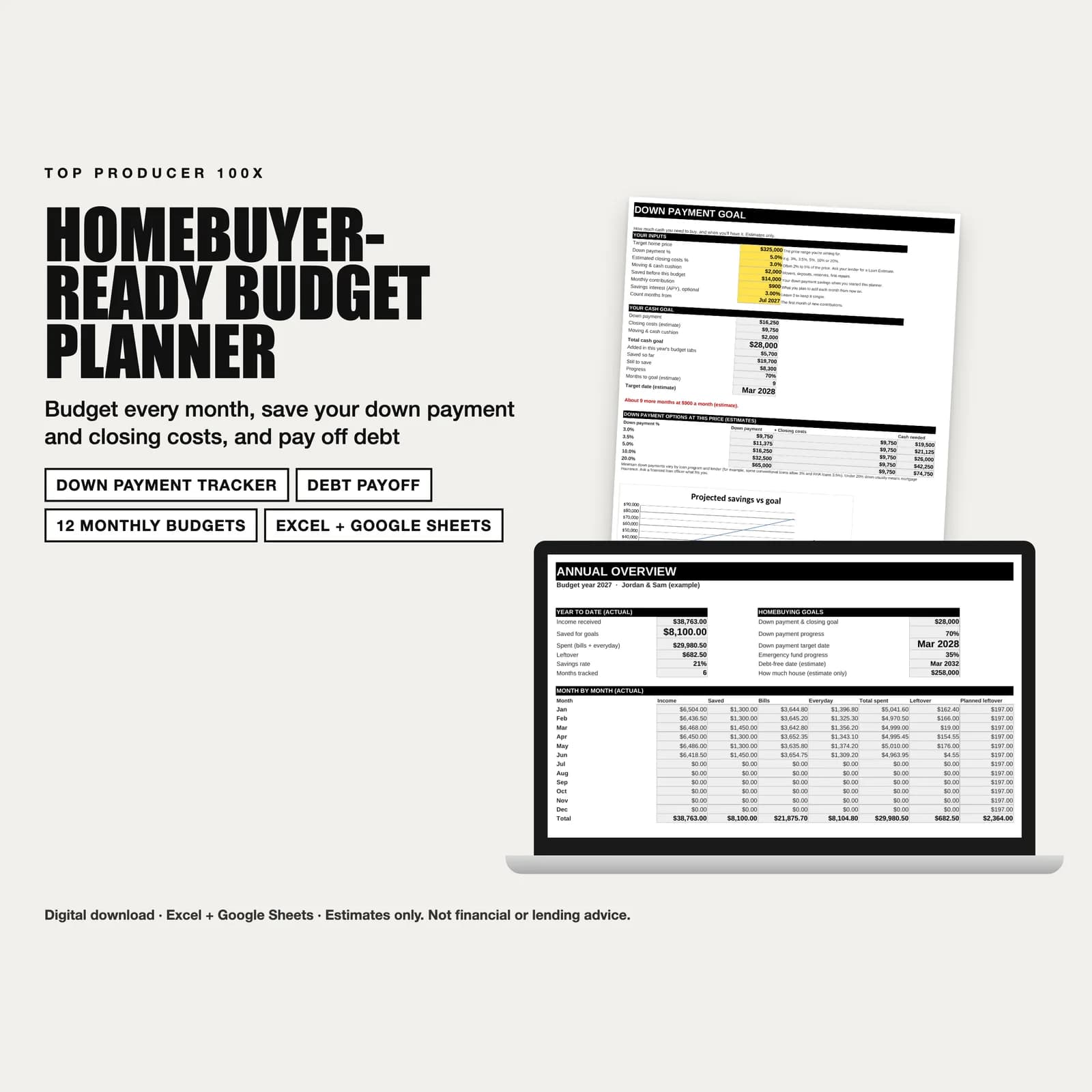
Homebuyer-Ready Budget Planner
Budget, down payment goal, debt payoff and emergency fund in one spreadsheet for Excel and Google Sheets.
$9.99
Instant download. Sales tax added at checkout where it applies.
US buyers only. Outside the US, buy on Etsy or Gumroad.
Have a discount code? Enter it on the checkout page.
- Format
- Excel + Google Sheets
- Tabs
- 18
- Macros
- None
Saving for a home is easier when you can see the target date. This spreadsheet ties your monthly budget to your down payment, closing costs, debts and emergency fund, and agents and loan officers can share it with buyers.
The Homebuyer-Ready Budget Planner & Down Payment Savings Tracker is a budget spreadsheet for anyone saving to buy a home. It keeps your monthly budget, your down payment and closing cost goal, your debt payoff plan and your emergency fund in one file, so you can see what you need and when you could have it.
Real estate agents and loan officers can also give it to clients who are getting ready to buy.
What's inside
One spreadsheet (.xlsx) with 18 tabs for Excel and Google Sheets:
- 12 monthly budget tabs with take-home income, 22 categories you can rename, Planned vs Actual, the difference, and your Leftover for the month
- An Annual Overview dashboard showing income, saved, spent, leftover, savings rate, a month-by-month chart, category totals and your homebuying goals
- Down Payment Goal: enter a target price, down payment % and closing cost %, plus your savings and monthly contribution. You'll see your total cash goal, months to goal and a target date, along with a 3% / 3.5% / 5% / 10% / 20% down comparison and a 5-year savings chart
- An Emergency Fund tracker for 3 to 6 months of essential expenses, with progress, months covered and a target date
- Debt Payoff for up to 10 debts in Snowball or Avalanche order, with an estimated payoff month for each debt and your debt-free date
- A How Much House estimator that uses your income, the 28/36 guideline and your own rate, tax and insurance assumptions. It's clearly labeled as an estimate only, with a note to talk to a licensed loan officer
- START HERE PDF guide
Any savings you log on the monthly tabs count toward your down payment and emergency fund goals automatically.
How it works
- In Excel, just open the file. For Google Sheets, upload it to Google Drive, then open it with Google Sheets (File > Import works too).
- Set your plan once on the Jan tab. Later months copy it until you change them.
- Type your actual numbers each month and your goal dates update.
The file opens with a fictional example household so you can see it working, and the START HERE guide shows how to clear it.
Details
- 1 spreadsheet (.xlsx) for Excel 2016 or newer and Google Sheets, plus a START HERE PDF
- Yellow cells are for typing, and gray cells are formulas
- Each tab prints on US Letter, one page wide
- This is an instant download, so nothing is shipped
Please note
- Estimates only, based on the numbers you enter. Not financial, tax, legal or lending advice.
- The How Much House tab is not a pre-approval or loan offer. Talk to a licensed loan officer.
- License: one household for its own budget. Agents and loan officers: one agent, or one team under a single brokerage, may give copies to their own clients for the clients' personal use. Please don't resell it or post the file for public download.
- Instant downloads can't be returned, but if anything isn't working, email us at [email protected] and we'll fix it.
Top Producer 100X