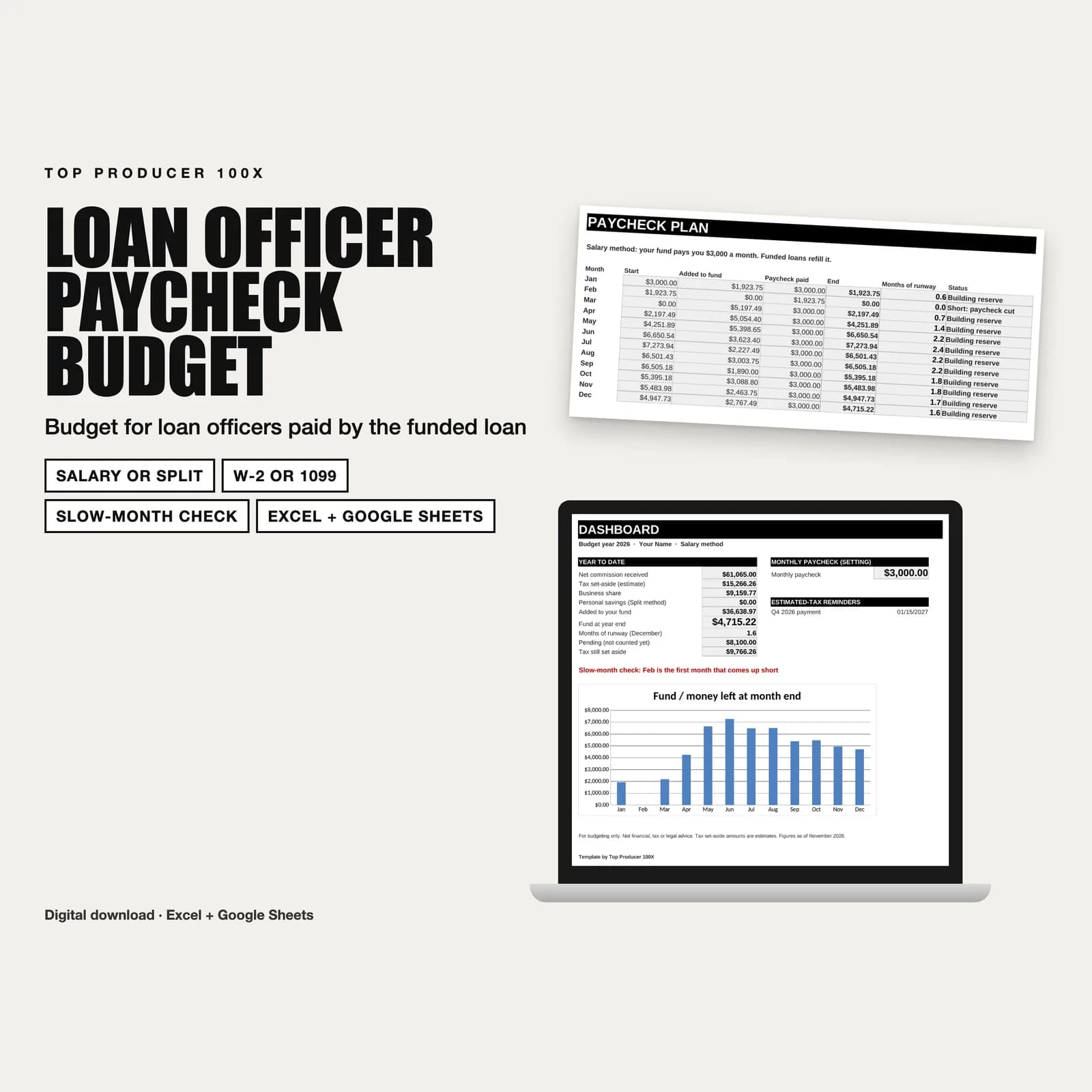
Loan Officer Paycheck Budget
Turns funded-loan comp into a steady monthly paycheck, with a W-2 or 1099 switch. Excel and Google Sheets.
$9.99
Instant download. Sales tax added at checkout where it applies.
US buyers only. Outside the US, buy on Etsy or Gumroad.
Have a discount code? Enter it on the checkout page.
- Format
- Excel + Google Sheets
- Pay type
- W-2 or 1099
- Versions
- Sample + blank template
Loan comp depends on what funds each month, which makes budgeting hard. This spreadsheet logs your funded loans, handles W-2 or 1099 pay and turns uneven months into a steady paycheck you can plan around.
The Loan Officer Paycheck Budget is a budget spreadsheet for loan officers who get paid by the funded loan. Loan comp arrives in uneven chunks and slow months happen, so this turns your funded loans into a steady monthly paycheck and shows the slow months coming.
What it does
- Funded loans log: loan amount × bps (type 100 or 1%) or flat comp, minus the branch or company split
- Two methods are built in. With Salary, your fund pays you the same paycheck every month. With Split, every check is divided into tax, business, savings and spending
- W-2 or 1099 switch. 1099 starts the tax set-aside at 25%. W-2 starts at 0% because taxes are usually withheld, so enter your take-home comp (or set the tax % to your withholding). You can edit both.
- Paycheck Plan shows all 12 months on one tab with start, money in, paycheck, end, months of runway and a status for each month
- The slow-month check names the first month that comes up short
- Pending deals are tracked as a forecast and never counted as money you have
- Starting mid-year? Pick your first month to budget
- Monthly Budget has 15 categories you can rename and planned vs. actual for every month, so you don't have to duplicate any tabs
- Tax set-aside estimate with an estimated-payment log and due dates
- Dashboard with year-to-date totals and a month-by-month chart
What's included
- Excel + Google Sheets (upload the .xlsx). Works in Excel 2016+ and Microsoft 365 on Mac & PC, with no macros
- A sample version (filled in with a fictional year) and a blank template
- START HERE guide with setup steps
Easy to use
- Type only in the yellow cells. Formula cells are locked in Excel so you don't overwrite them by accident.
- Percentages work whether you type 25 or 25%. Leave them blank to use the defaults.
Please note
- This is a digital product, so nothing is shipped.
- For budgeting only. Not financial, tax or legal advice. Tax set-aside amounts are estimates, so ask your tax professional what fits your situation.
- License: one person, or one team under a single company, keeping their own budget. Please don't resell or redistribute it.
- Instant downloads can't be returned, but if anything isn't working, email us at [email protected] and we'll fix it.
Top Producer 100X